Sunday, October 12, 2014

Drowning in the Information Tsunami

Throw me a life raft! Or floatie! Linton Weeks said: ""In the nonstop tsunami of global information, librarians provide us with floaties and teach us to swim." Yes, but sometimes we librarians could use some floaties, too!

Ten years into my career as a high school librarian, I find that I have collected an overwhelming number of helpful web pages, programs, links, apps,  pathways, documents, and so on and so on. But more and more in the chaotic "personal learning environment" I call my library, I find it hard to put my hands on what I need when I need it.

Where is that article about Google Scholar and impact factor software that would be helpful to the AP U.S. History class embarking on their research project? Who recommended that cool, free, easy to make website that looks like a poster and would be perfect for collecting student projects and displaying them online? Hmm . .  . starts with a B and rhymes with frog? OR was it starts with an F and rhymes with . . .? What was the name of that app that helps you collect web pages as you "surf" the web and quickly comment on them, store them, and organize them later?

 Librarians locate, analyze, and collect an amazing amount of information, then organize it for students and teachers. When those resources are focused on a single topic or research project, we call the organized list a "pathfinder," and those pathfinders can take many forms.

The simplest form of a pathfinder is a handout, with a list of print sources in the library, some suggested databases, and some well-selected links to quality online sources. That still works, and when a teacher lets you know at 7:30 a.m. that their class is coming in at 9 a.m. to do a new project, hey, a quick one page pathfinder and a run to the copy room is a better start for the student researcher than an unfocused web search!

Over the years, I have created, edited, and tweaked over 100 of these "paper pathfinders," pretty good resources overall, and I post them on the library web page when classes come in for those projects that tend to be repeated year after year.  But let's face it, emailing links to myself  from home to work just isn't working -- 997 emails in my work inbox as of one pivotal Friday afternoon, probably some real gems in there back on page 12 of my email. Will I ever get to them, click, remember what was so great about that site, and get it on my web page? Probably not. There has to be a better way.

As is my custom, I jotted down my needs, as I perceived them, before starting to search:

  • a process for capturing links to resources as I search for them online (other than emailing them to myself, or putting links in a Word document)
  • a way to organize those resources by categories (and what are the categories?)
  • a place to park resources I don't need yet, without losing track of them
  • some kind of content organizer that can use all different media - video, audio, graphics, web pages -- and yet not overwhelm the students accessing it (a web page? a wiki? a blog? is there something else out there?)
  • a way to connect to social media, such as Facebook and Twitter
  • a quick way to access the web sites I use every day, and hey, if I could get to it on my phone that would be even better
On top of organizing information for my school, I also need help organizing my time, my library staff, and the facilities, such as computer labs. 

And, I need resources that will work with the way my mind works: very visual, better with a bulletin board than a filing cabinet, color-coded is good, But whatever IT is, it has to be easy to use and not "take over" -- it has to support me, not run my life. What what and where is IT??!!

Stay tuned . . . Teen Read Week is upon us, but my quest has begun, and I will report back soon on what I find,and suggestions are most welcome.


 

Saturday, November 30, 2013

New trends in YA Literature

   I predict that YA Literature in the next few years will broaden its scope and appeal and we will find realistic fiction again on the Top Ten Lists for teens. Yes, I am aware that Catching Fire,  based on the second book in the Hunger Games trilogy by Suzanne Collins, is a box-office hit this Thanksgiving weekend, and I am sure that the last book in the series will be just as popular with movie-goers. Next up will be Victoria Roth's trilogy: Divergent, Insurgent, and Allegiant.  The teens I know either hate or love the ending of Allegiant (no spoilers here).
   Fantasy, science-fiction, and dystopian literature will always have their place in YA literature, but well-written realistic fiction is making a huge comeback. A few examples:
   John Green's The Fault in our Stars, the story of two kids who meet at cancer camp and fall in love, has been the biggest book of the fall for teen book clubs, including my own Puma Readers. "Don't forget to be awesome," is the memorable line from that story that you may see on posters, in blogs, and probably soon on t-shirts (abbreviated as dftba).
   John Green always delivers a great story and real characters. He totally deserves the promotion and attention this book has received, both in literary reviews and by the big-box chains such as Barnes and Noble. The success of The Fault in our Stars has also revived interest in some of his other titles, both recent (Paper Towns) and "classic" titles (Finding Alaska). What other author inspires young adults to look you in the eye and tell you that this book changed their lives?
   National Book Award finalist Carrie Arcos visited our school for Teen Read Week to promote her first book, Out of Reach, about the impact on a suburban family of a son on drugs who is "out of reach." Don't look to this well crafted YA novel for happy endings, but teenagers loved this book,with word-of-mouth propelling this book from hardcover to paperback in its first year of publication. Carrie Arcos has a second book coming out in 2014 . . .  stay tuned. She's young, lives in a multicultural neighborhood in Los Angeles, has a great ear for dialogue, and is not afraid to tackle serious subject matter honestly.
   The success of Laurie Halse Anderson's Speak, about a high school freshman so traumatized by a rape at a party that she cannot speak, struck a chord with teenagers a few years ago, and is now on many high school reading lists. Be forewarned: boys and girls react very differently to this book, and you may be shocked by the reaction of many young teen boys.
     On the other end of the realistic fiction spectrum, Janet Tashjian continues to delight with her humorous fiction. Vote for Larry and The Gospel According to Larry languished on my shelves for a few years but are popular again. In the same genre are Jerry Spinelli (Star Girl), and the delightful Rachel Cohn, prolific author of Gingerbread, Dash & Lily's Book of Dares, Nick & Norah's Infinite Playlist, and many other great YA titles.
   YA publishers, take note! Don't send humorous and realistic fiction to the slush pile, and stop trying to clone the fantasy/dystopia titles that have won such huge followings. None of these recent realistic fiction successes are "quick reads" or "high-low" books -- they are beautifully written, with characters that teens can identify with, but challenging reads. Good books always find their audience, and the YA audience is turning once again to real stories with real characters with real problems, funny or serious, and they will reward authors who don't talk down to them. 

Monday, November 12, 2012


Puma Readers Club hosted science-fiction author Tom Kirkbride during Teen Read Week at Chaparral High School, Temecula. Tom is the author of the Gamadin series, available on Amazon, Barnes and Noble, or at his web site.
   We loved the story line -- So Cal surfers ditch school one day and rescue an alien princess whose ship has crashed in to the Pacific Ocean. Think Star Wars meets Bill and Ted's Excellent Adventure! Anyhow, there are four books in the series now, a fifth in the works, and they are a lot of fun.
   The boys will love the technology and adventure, the girls will love the romance, something for everyone and "young teen appropriate." There is talk of a movie deal, so our autographed copies may be very valuable some day! Thank you, Tom. Here are the books in the series:
Book I, Gamadin: Word of Honor: "Sixteen-year old Harlowe Pylott and Matt Riverstone are body surfing the gnarliest waves of the new century when their fun is interrupted by a yacht capsizing off the Newport coast. After rescuing the famous movie star Simon Bolt and the half-alien socialite Leucadia Mars from certain death, Fate sends them on the greatest ride of their lives. Robobs and the undog are only the beginning! Dakadude killers have swooped down from the heavens looking for the galaxy's most powerful weapon: an ancient Gamadin spaceship named Millawanda. If the Daks cannot capture Millawanda, they will kill her while she is still weak and unprotected . . . along with the Earth and anyone else who gets in their way" [from Amazon blurb]
Book II,Gamdin: Mons
Book III, Gamadin: Distant Suns
Book IV, Gamadin: Gazz

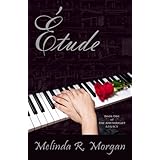
Our other author event during Teen Read Week was with Melinda R. Morgan, who spoke to the reading clubs at all three Temecula high schools at Barnes & Noble (thanks Regina, B&N super community relations manager who arranged this!). The first in a series about a young woman who discovers that she has a guardian angel and a destiny to fulfill:


Product Details"The cold rain drummed the memory of the horrible crash into my mind-mom dead, my hand ruined. Then a year later, coming out of a coma to realize my full-ride scholarship was gone and I'd never play the piano again. But the worst of it was nobody believed me-the voices, someone holding me in the mangled car, mom being ripped away from me.So here I am in Anderson, Wyoming, living with Uncle Connor while Dad's on assignment in Europe. School started and I met Jonathan, amazingly handsome Jonathan. He made me feel like life was beginning again-until I discovered that mom's death wasn't an accident, that a supernatural realm was trying to draw me into a coterie hundreds of years old, and that my friend Eric wanted to destroy me.Not the easiest way to begin my senior year.." [Amazon blurb]

Saturday, March 22, 2008

Week 9, Thing 23 Reflections on the Journey

Real learning should change the learner, not just fill their head with content or teach new skills, and Learning 2.0 has changed me in some unexpected ways. I am now critically aware of the need to structure the library experience of my students and faculty to their needs as "users," which means that if it takes too much "training" for them to be able to acquire the information and experiences they are seeking in my library, I'm doing something wrong (see comments on article by Michael Stevens in previous post)! Consequently, I met with the head of the English department and we are revamping the way we do freshman library orientation. I met with my IMS guy, and we are revamping my library web page (once fiber optics is up and running, supposedly in April). I am going to actively participate in the freshman academy at my school so that I can be a part of creating a learning experience for the students that isn't the "same old, same old" in a block schedule. My main goal is to use technology to create active learning, collaboration, and engaged readers in my library and beyond in my school. Can you tell that I LOVED Learning 2.0?! Thank you, 2.0 team! I hope to be able to thank you in person at CSLA in the Fall. P.S. -- A quick apology to the readers who kept up with me for inundating you at the end -- my online exploration and learning were ahead of my blog postings, and when I realized that I was going to have to finish by April 1st, I had to catch up on the postings. ANSWERS to the 6 questions, in reverse order:
#6 - My learning experience in one sentence: The format of this online learning experience allowed me to explore web 2.0 applications at my own pace and on my own time, integrating them into my life and my library as I learned.
#5 -Would I choose to participate again? Yes, definitely - bring it on!
#4 - How could the format or concept be improved? My only suggestion would be to make the Weekly Tips portion interactive by posting it on a Wiki where others could quickly post answers to questions (technological difficulties) which sometimes slowed me down, especially when working from home.
#3 - Unexpected outcomes from this program - a shift in my perception of my role as a librarian from "user friendly" to "user centered", and new confidence in myself as a "techy" person
#2 - How this program has affected my life long learning goals - I now have at least a beginning familiarity with a whole online world of knowledge, reflection, commentary and interaction which will allow me to take charge of my own learning experience and collaborate with others as I grow.
#1 - My favorite exercises or discoveries on this learning journey - it was very fun and confidence building to acquire the skills to use these web 2.0 applications on my own and see that I could make them work, so I did enjoy the practical "how to" exercises where I actually created something (my blog, my igoogle page w/ reader, a flickr account, a zoho account, my rollyo search bar, etc.). But I also very much appreciated the inclusion of thoughtful reflection and commentary on these applications, reading online articles, journals, and blogs about them. That balance made this a very worthwhile journey for me.

Week 9, Thing 22:Audio books and e-books

Many of the sites for downloading free books seem to be using the same sources: 1) so called public domain books whose copyrights have expired (the “classics,”), 2) online computer and technical information, and 3) books being created online specifically for an internet audience, many of them collaboratively. Now audio versions of public domain books are being pod cast on Librivox, many of them originally published by the Gutenberg project. What a great collaborative project! This has immediate applications for my own school's special ed and EL populations. Audible, Audiobooks and Itunes seem to be the biggest sources for commercial audio books, and many people just download right to an MP3 player. Barnes and Noble has gotten into the audio book business, and Recorded Books (one of the biggest sources for libraries) will now “rent” as well as sell. Right now in my own library, 100+ titles from Recorded books go out regularly, so I know the “market” is there. I have not had the online space to offer e-books from my own library, but that may be changing. The disadvantage is that, like a regular book book, only one user at a time can “check out” an e-book. The biggest controversy in e-books and online audio books, of course, is copyright vs. “the right to know/read/hear.” Google has run into a lot of controversy with its plan to begin scanning and sharing whole university libraries, but it makes sense to me, especially when one or two libraries hold a few rare volumes. The most blatant case of scholarly stinginess in the last fifty years was the small group of scholars who held the Dead Sea Scrolls hostage, not sharing their work for almost forty years, until a graduate student obtained photographs and a journal published them, forcing the controlling group to open up access to the documents. As a beginning freelance writer, however, I clearly see the other side of the story – the importance of protecting and being paid for your work. We have indeed entered a brave new world! Of all of the online e-book and audio book providers, I liked NetLibrary the best, probably because it is connected to a trusted library group, OCLC, and that is the service I will use when bandwidth permits in my own library. Hmm, I'll have to rethink that "no ipods" in the library rule, won't I?

Week 9, Thing #21, Podcasts

Finding and listening to interesting pod casts is easy; most of them have RSS feeds so you can subscribe to them and have the information come to you on your iGoogle page or blog. I toured Yahoo, Odeo, PodcastNet, and PodNova. On the EdTech site I found a beginner’s lesson in Morse Code and a great educational pod cast site, www.edtech101.com, where I listened to a pod cast on scanning. They recommended a web site, www.photorepairshop.com, which has a “scanning calculator” to calculate the proper resolution to scan any particular file so that you don’t overload your Smart Board, for example, with an image that is too dense. But publishing your own pod cast takes a few more steps. I added the edtech101 pod cast to my iGoogle home page, which I will be able to access from school (until IMS catches onto this possibility). I also read the entire How to Pod cast tutorial pod cast tutorial – this requires a pretty sophisticated set-up. You must have a web domain, a web host (to store your audio files, which will take a lot of bandwidth), a blog where your listeners can contact you, make comments, read your notes on your episodes, view photos, etc., and RSS feed. The tutorial recommended not using a blog site, since the URL will be hard to remember, but apparently Blogger and Libsyn will allow people to register a web site for about $10 a year. A web host with good technical support is a must, and you need at least one gigabyte of storage, and at least 24GB of transfer bandwidth a month to get started with an audience of about 300 people. The tutorial recommended using Feedburner as the web host, Blogger as the blog site to accompany the pod cast, and OurMedia to store the broadcasts. For the “hobbyist” pod caster, the tutorial recommends Lybsyn. For the serious pod caster, the tutorial recommends Wordpress for the blog service and RSS Feed and Powweb or Globat for web storage. As far as pod casts go, for now I will definitely be a consumer, not a producer, of pod casts, but there are some great sources out there for educators, and again, people collaborating to share knowledge and ideas.

Friday, March 21, 2008

Week 9, Thing #20 YouTube

Here's a fun library video I found called Why We Love the Library, apparently made by some students for a contest:
http://www.youtube.com/watch?v=sQMtp_yr-J4
It's about four and a half minutes, "stars" two students, with background music and short video interviews ("the library has lots of books"), no props needed except the actual books and computers in the library and the building itself. Very reminiscent of what our high school video crew produces every day for their TV announcements, which has morphed into a kind of daily talent/commentary/can you out do this? show which now gobbles up more than fifteen periods of class time (but I dare the teachers to turn it off -- the kids love it!)Now, the amazing connection - my new library TA is in the video class, and one of his assignments for me now is to produce some cool videos for our library. The first one he did demonstrated some do's and don'ts of caring for your textbooks (DON'T use your textbook as a hat in the rain but DO wrap it in a grocery bag). If we're smart about this we can build up a "library" of videos to show on the announcements and also perhaps link to our library web page on all kinds of topics.

A few books to peruse from my Library Thing

Week 8, Thing #19 Library Thing

Lovely new tool, and why am I the last person to hear about it? Library Thing offers easy to personalize tools, connectivity to others, a chance to dialogue online about books. I've seen the Library Thing links on library web sites, but didn't know how they did it (handy "widget," of course!) This would allow me to highlight new books in my library with one easy link, find ideas for my own reading, and, someday (the same day all of my photos are neatly organized in beautiful scrapbooks), someday catalog all of my own library books at home, even the ones overflowing into the garage and stacked next to my bed. We can all dream! I'm going to try using the "widget" to post a few books from my library.

Week 8, Thing #18

Way back in Week One we were advised to create a toolkit,and now I see the wisdom of this but of advice! I now have more passwords than a CIA operative has passports, for the many different applications I am trying. The easiest method for me has been to bookmark the web sites in folders on my home computer (too many of them are blocked at work), and email myself passwords and keep those in a folder in my home email. I also printed out lots of "how to" info and the passwords and keep those in a manila folder on my desk. Anyhow, on to online word processing and spreadsheet applications! Very nice, organized list posted on the 2.0 blog, and that was an easy way to explore. Our LMT group in our District is currently working on a Selection policy and we have been emailing long documents back and forth, so my first project will be to post our rough draft on Zoho so we can all collaborate online and have a pretty good idea of where we are going with it once we actually meet in three weeks. Lots of great ideas from other libraries, including links to resources. I am going to try to post my latest "Top 10" web sites I do for students and staff, using my new Zoho account. Stay tuned . . .

Presidential Elections

10 Top Web Sites on Presidential Elections

Cable News Network Election Center 2008

http://www.cnn.com/ELECTION/2008/

“Road to the White House”, blogs “from the Left” and “from the Right”; follow the primaries, the caucuses, the money, the delegates and more. Cable News Network Politics at

http://www.cnn.com/POLITICS/ features polls, top 10 stories daily, blogs, and Road to the White House tracker of delegates – scroll down the entire page to see all of the features.


FindLaw Legal News and Commentary

http://news.findlaw.com/

Scroll down the page for links to the latest legal rulings and news categorized by Supreme Court, Politics, Civil Rights, and more.


Public Broadcasting System News & Views

http://www.pbs.org/news/

Link to Politics and Government, top news stories, recent political speeches and more. Keep an eye on this site – typically they will put up an entire election web site once the primaries are over.


National Archives and Records Administration

www.archives.gov/federal_register/electoral_college/

This Web site is maintained by the National Archives and Records Administration. It offers extensive information about the Electoral College, its constitutional mandate, and presidential elections in the United States, including a new link to Election 2008.


American National Election Studies

http://www.electionstudies.org/

Sponsored by the University of Michigan, this site features data about voting, public opinion, and political participation for educational institutions.


America Votes: Presidential Campaign Memorabilia from DukeUniversity

http://scriptorium.lib.duke.edu/americavotes/

Search by candidate and election for memorabilia from DukeUniversity’s Special Collections Library, including letters, campaign flyers and buttons, and more. Great source for primary documents.


Presidential Museums

http://www.presidentialmuseums.com/

Portal to web sites of Presidential museums, brief biographies of Presidents, and even presidential pets, organized chronologically by eras. Easier reading level.


Federal Election Commission

http://www.fec.gov/

Campaign finance laws and information for Presidential, House, and Senate elections.


Presidential Libraries

http://www.whitehouse.gov/history/liblinks.html

Part of the official White House web site, this has links to each of the Presidential libraries administered by the National Archives Records and Administration. See also links on the left side of the page for quick facts about Presidents and First Ladies – choose short facts, official portraits, or full biographies.


Library of Congress http://www.loc.gov/index.html

A wealth of information on presidents, elections, and specific presidents in the American Memory collection and other special exhibits. A great resource for teachers is Elections: the

American Way
, online at http://memory.loc.gov/learn/features/election/home.html, with quality resources linked to primary source documents from the American Memory Project.

Thursday, March 20, 2008

postscript to post

I have not been successfully able to hyperlink in the past two posts, not sure why. Will try to figure that out so there aren't those annoying URLS cluttering up the posts.

Week 7, Thing #17 Playing in the "sandbox"

Hey, that's my idea, #13, under Image Generators, in the sandbox! A few detours along the way -- hit edit before hitting the link, then had to log out and hit the link first, THEN hit edit. Oops - almost typed in the wrong place, beginning of the page instead of at the end. I think the best way for me to start using wikis, as suggested by blogger Laura Cohn (see my last entry, Thing #16), is with other teachers at my school in committee groups, etc., before trying it with students. One very practical reason for this is that we'll have to convince our IMS people this is a safe technology that won't violate AUPs on campus, so getting the bugs out with adult users only at first is a good first step. I took the PB Wiki tour, read the suggested articles and looked at the comparison charts of wiki-hosts, and still have lots of questions. Next step: fill out yet another "request to unblock" form -- so far all requests have been denied, but I'm optimistic that talking face to face will fix that.

Week 7, Thing #16

I took an online "tour" of wikis at educational institutions. There are some interesting and innovative uses of Wikis in educational institutions. The well known language institute at Penn State, CALPER (http://calper.la.psu.edu/technology.php), Center for Advanced Language Proficiency, Education, and Research, features blogs, wikis, and chat rooms on its Computer Mediated Activity Library online. Students can learn about these innovative technologies, or simply use the technologies to enhance their language development. Working papers posted online by Steven L. Thorne, Rebecca W. Black and J. Scott Payne describe the use of wikis and blogs in foreign language instruction. I found wikis at public schools, private schools, universities, and of course wiki software is a part of Blackboard, a popular forum for offering online courses. On Tufts University’s AT web page (http://uit.tufts.edu/at/?pid=24), there are links to a digital library, blogs, podcasts, online forums, and wikis, where students can post ideas and research for others to comment upon. Bryn Mawr uses wikis in its writing courses, where students post rough drafts for comments. The University of Minnesota has taken an interesting approach to web 2.0 with its UThink page, with over 6,000 blogs and 89,000 entries, lists of recent entries, and, if you scroll down the page, “suggested reading” links of local and national newspapers, radio stations, and some of the more well known blogs. The blog page is supported by a “technical wiki,” where people can suggest ways to better tweak the blog page. This seems more like the “if you can’t beat them, join them” mentality than an innovative use of technology, but, hey, there are 89,000 entries to choose from, so start blogging and give your good suggestions via the wiki! Librarian Laura Cohn is just signing off this month on her Library 2.0 wiki (http://liblogs.albany.edu/library20/). She’s retiring from Albany, and her blog posts will stay up for a year, well worth reading. Laura Cohn sees wikis as a way of preserving the “collective intelligence” of a “cultural institution,” such as a library, by allowing patrons to improve web pages, add suggested bibliographic links and build subject lists, give tips to newcomers on navigating the facility, and collaborate on research and projects. The wikis she recommends following online are The Unofficial EZProxy Support Wiki http://www2.potsdam.edu/ezproxy/wiki/index.php/Main_Page which offers free and useful software code, and Library Success: A Best Practices Wiki (mentioned earlier in this course, online at http://www.libsuccess.org/index.php?title=Main_Page). Her last few postings talk about the balance between control and collaboration, with the “fading out of the webmaster, and the focusing in on the group.” Her very practical suggestion is for librarians to practice this kind of collaboration by creating wikis for their librarian committees and groups.

Wednesday, March 19, 2008

Week 6, Thing #15 Three great articles on 2.0

Comments on #1: Michael Stephens “Into a new world of librarianship.” We have heard the mantra of “user-centered” many times, but Michael Stephens says it well and creates from it a paradigm for evaluating new technology: “Does it put users together with the information and experience they seek?”
Comments on #2: Rick Anderson “Away from the Iceberg.” Love the picture with the oars (tag this one “metaphor” also!) Great insights on the way people are accessing information and the urgent need for libraries to change along with the times or risk becoming totally obsolete. I don’t think print collections will become obsolete, but I do agree the library has to extend beyond the facility and things can’t be so hard to find (oops, I mean “access”) that it requires special training to use a library. Hmm . . what does that mean for my freshman library orientation?
Comments on #3: Dr. Wendy Schulz, “To a temporary place in time . . . on the way to the library experience of the future.” Freudian slip – I first typed this title omitting the word “experience,” which would change the subtitle to “on the way to the library of the future” (thinking of it as a facility) rather than the “library experience of the future” (thinking of it as a total experience). Libraries as “mind gyms?” “idea labs?” “art salons?” a “knowledge spa?” Wow! Sign me up, and bring along the million dollar budget to make that happen. This gives me a great business idea – the private library, with monthly fees and “trainer/librarians” to guide the patrons in their pursuit of knowledge and aesthetics. Let’s write a business plan and make this happen! Libraries run by the government have been under funded, with underpaid professionals, and obsolete collections. Private enterprise libraries run by trained librarians in the era of the knowledge economy? That totally makes sense.

Week 6, Thing #14 TAGGING

Hmm, we just had a staff meeting agenda about TAGGING in the restrooms, aka GRAFFITI; interesting that same terminology is used to identify blogs. I was working with students today on SIRS, and noticed that one of their new Leading Issues topics, Election 2008, had a little box to the side with some TAGS floating about in no particular order. When I create a "pathway" handout on library resources for a research project, I always include "keywords for searching," but perhaps I should start calling them keywords/TAGS, and typing them helter-skelter about the page in different fonts rather than in a neat alphabetical list. Students need my list because they have all kinds of ways of thinking about what they are trying to find in the library which the library catalog doesn't understand - my list is a sort of glossary, turning their need for a "job," for example, into "vocational guidance." Here's what I notice about TAGS on Technorati, Flickr, and Del.icio.ous -- nouns, verbs, adverbs, place, names, slang ("Rant" seems to be a popular tag) -- anything goes. It's a kind of keyword free for all, but it seems to work! As a linguist, I know that language and language forms are created by people and constantly evolving, not dictated by a grammar book. This "blogosphere" provides a fascinating look at a new type of language form in the process, the TAG. I notice that the larger sites now have directories, putting blogs into categories, and many use visual icons to represent various types of blogs. I truly think the blogosphere needs some virtual librarians on board so that they don't have to reinvent the wheel, so to speak (note to self: add a metaphor tag to this blog!)

Tuesday, March 18, 2008

Week 6, Thing #13 Democracy on the web?

Intrigued by the article on Del.icio.ous about Wikipedia, Digg, and democracy (or the lack thereof)on the web. Apparently there is more control than first meets the eye, or the mouse, on many of these interactive web 2.0 sites, with a few controlling the content of what looks like a large collaborative effort. I had a similar experience last week when I attempted to get a link from the Learning 2.0 course unblocked at my school. A large iPrism message popped up, followed by a link to an official looking pdf file, which I downloaded, filled in (pencil on paper), and was ready to put into a school envelope to send to the address indicated (Information Management Office at the District) when our tech guy walked by. He noticed the form, asked me what I needed, opened his cellphone and dialed one guy at the District office, gave him the URL, and voila! Link now links. I realized that this entire machination leads to one person, a person I know personally, and from now on I will just pick up the phone and call him. The problem is that he is not an educator, he is a "tech guy", and his reasons for blocking things come from a link of web types ("gaming" was the category that got me in trouble in this instance) and a list of forbidden words and terms which he refuses to publish since they are "forbidden." The literary me is reminded, of course, of the Wizard of Oz, the little man behind the large machine. And with all of its collective power, it is a reminder that web 2.0 is after all connecting people. The power of social bookmarking sites like Del.icio.ous is the power to connect people to information, which is what librarians are all about. Very practically, I could use it on my library web page to create bookmarked links for specific assignments. And it is nice to see that web 2.0 librarians are already actively sharing resources this way, commenting on each other's information and ideas, and collaborating to find new ways to help their patrons.

Monday, March 17, 2008

Rollyo


Week 5, Thing #12 Rollyo

Rollyo allowed me to collect my favorite sites for writing for children and teens in one spot and make them searchable. By sharing my Rollyo list, others can edit and suggest additional sites.

Week 5, Thing #11 Web 2.0 awards

I found my house's current value on Zillows (down 14% in the last 30 days, no surprise), checked out the social networking sites on Ning (yes, there are librarian groups there!), watched Google's video extolling the virtues of Google Docs, and surveyed the many free widgets from Your Minis
Peer Trainer wants to help me lose weight, and 43 Things wants me to list my life's goals and chart my progress. I notice that all of these sites are very easy to use, simple design, and, being web 2.0, all about collaboration. I did not understand the web design sites, but I do get that people are working together on projects on those sites and sharing information for free. It is very intriguing to see this shift from independent competition to widescale collaboration, and I wonder how long it will be before our political institutions catch up. Serendipity again. Technology and Learning just featured Web 2.0 tools in the February 08 issue, with an emphasis on engaging students through social networking. Check out this issue for links to schools which are using Web 2.0 sites such as Flickr, blogs, wikis, Skype, and Twitter to extend the classroom into cyberspace. Twitter is like sending mini-postcards throughout the day to your online "family" or "group", like, "Hey, I just got off the plane!" or "Found a great pair of shoes." Web 2.0 is all about Connection and Collaboration.